Need to reduce the bounce rate/improve the engagement rate on your travel blog? These seven tips will help you!
What is Bounce Rate?
Bounce rate is an internet marketing term given to a website and measures the rate at which readers bounce from your blog. Ie, how quickly they leave your blog.
The goal of the blogger is to keep the reader on-site for as long as possible.
The higher the bounce rate, the quicker people are leaving your blog.
A bounce rate of 100% meant that they didn’t stick around at all.
What is a good bounce rate for a travel blog?
They say that 40% is a good bounce rate.
If you have a bounce rate of over 50%, there is room for improvement.
That may be because they found the answer quickly, but also because you gave no reason for them to stick around.
There is, as ever, much conflicting opinion as to whether bounce rate affects ranking, but for sure, Google sees it, and that has to be a good thing, right? It gives your travel blog a vote of confidence.
So, here we go, actionable tips on how to reduce your bounce rate on your travel blog:
1. Comments:
Comments take time to write, so readers are sticking around a whole lot more when they actively engage.
And if you reply with something engaging, they might come back to add a second comment. Which means more hits, too.
I run the Antispam Bee plugin. This does a decent job of separating the genuine comments from the spam comments, including honeypot spam. I also blocked comments from RU (Russia) as a further deterrent. 90% of the spam comments don’t even get through anymore.
I also disabled the feature that allows bloggers to add their own website. This stops the idiots from just wanting an easy backlink (I re-enabled this option, preferring to just delete the spammers).
I want meaningful comments, not “NICE BLOG” type comments.
If the person leaving the comment has a WordPress account, their name/profile picture will be linked, but it will be a nofollow anyway.
Of course, I have to manually approve all comments because there are a lot of haters out there.
2. Previous and Next Posts:
Write compelling blog posts, and the interested reader who feels like scrolling can scroll left or right to the previous and next posts.
3. Related Posts:
I have just added the Contextual Related Posts plugin to Nomadic Backpacker in an attempt to keep readers on-site. I renamed the heading to You May Also Like.
4. Write Engaging and Helpful Content:
If you write engaging and helpful content, readers will bounce less. Therefore, the longer and more detailed/helpful the post, the longer the time spent reading is.
If you instil enough confidence, with a bit of luck, they will click through to your previous/next posts and related posts, and hopefully come back for more some other time.
5. User Experience (UX):
User Experience (UX) plays a big part in whether a reader sticks around or not.
Pop-ups and ads:
Nothing beats pissing off a potential reader more than distractions such as pop-ups, cookie consents and ads that make the actual article difficult to find.
I would recommend getting rid of distractions like pop-ups and checking that your cookie consent form doesn’t appear twice.
I understand the need/desire to make money from your blog, but don’t overdo the ads.
The pop-ups that appear within 2 seconds of the page loading, pleading for the reader to subscribe, seem to indicate that the blogger is more interested in growing their email list rather than wanting the reader to come back on their own time. Write epic shit and they will.
This also beats my inbox being bombarded with 20 emails a day.
Mobile Responsiveness:
Ensure that your website automatically adapts the layout, content, and images to fit any screen size—from smartphones to desktops.
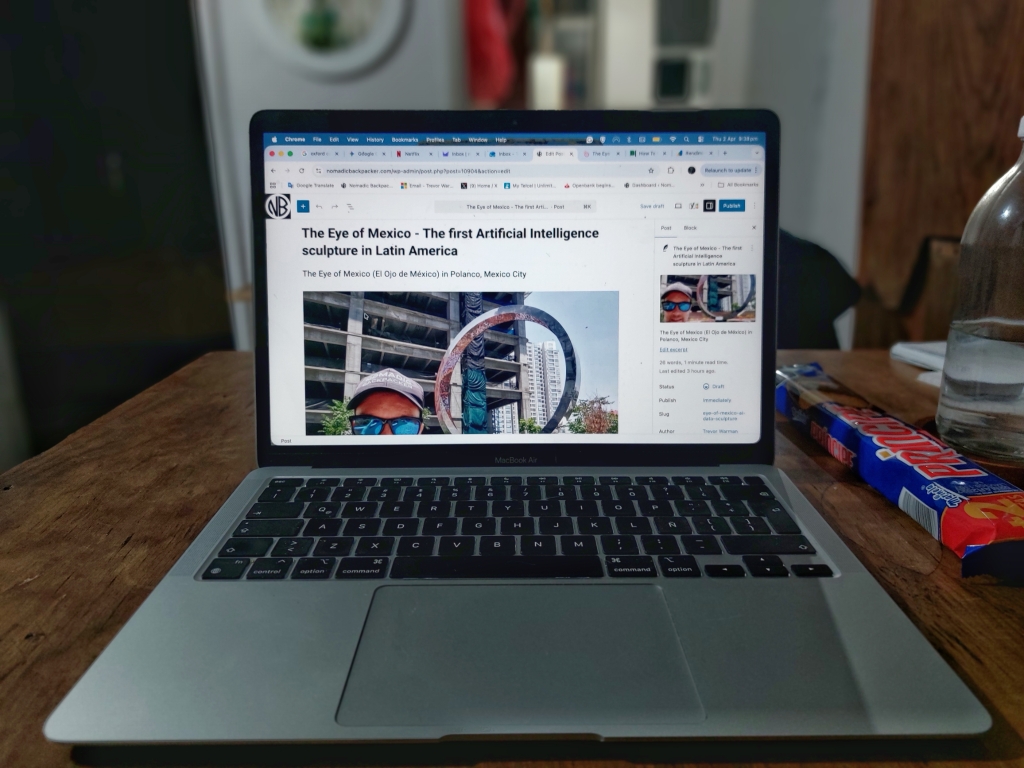
Make sure the text looks good on mobile. It’s quite common that what looks good on desktop looks crap on mobile. I check how my blog looks on a MacBook Air (the only Apple product I have ever owned), on an Android smartphone and a Samsung tablet.
Blog sites with poor mobile responsiveness have images which go beyond the standard container, which looks very unprofessional.
External Links:
I link out to external pages to give readers the chance to learn more and delve deeper into a topic mentioned on my blog.
But I go easy on external links. I don’t want to send my readers off-site too much, but they can be helpful, if, for example, I want to make my blog post more evergreen (entrance fees to museums change regularly; I don’t have time to keep track of them all), so I direct readers to official sites, always opening in a new page so that my window remains open.
But it is detrimental to your own credibility if the external link returns a 404 Page Not Found Error. That’s why I run Broken Link Check every few days; it’s amazing how many website pages go offline, get taken down, or the URL gets changed.
I have started embedding GoogleMaps instead of sending people off site to the GoogleMaps app. GoogleMaps use iFrame code and are Lazy Loading, which doesn’t really affect page loading speed.
Page loading speed:
Some plugins result in slow page loading times, and many have conflict issues with other plugins. The more plugins you have, the slower your pages will load.
The same goes for images. Make sure they are compressed.
6. Internal links:
Add internal links to posts on the same subject. This also helps Google crawl and understand your site better. But don’t just add links for the sake of it. The anchor text and destination URL must also be a good fit.
7. Avoid sending people away from your site:
As equally important as keeping people on-site, avoid sending people away from your site.
External (outbound) links are good for SEO. They build credibility, improve user experience, and help search engines understand your website’s relevance and authority.
Linking to highly authoritative, relevant websites shows search engines that you are backing up your claims with credible facts.
But you run the risk of sending people away. They might click a link and never return to your blog.
You have to make a compromise. And of course, don’t link to trashy sites,
As a travel blogger, I have to include references to locations on Google Maps. Instead of adding a link to the Google Maps app, I have embedded the maps using HTML code. This is part of the code for reference:
2 thoughts on “How to Reduce the Bounce Rate on your Travel Blog”
Excellent advice here.
Opening comments keeps rear ends glued to your blog, to share their thoughts.
As for content, keep it relevant and detailed to entice readers to stick around. This is why listening to reader problems and solving with thorough blog posts lowers your bounce rate quickly.


Excellent advice here.
Opening comments keeps rear ends glued to your blog, to share their thoughts.
As for content, keep it relevant and detailed to entice readers to stick around. This is why listening to reader problems and solving with thorough blog posts lowers your bounce rate quickly.
Keep up the great blogging work.
Thanks Ryan….appreciate the thumbs up. Happy trails